



Products
Smart Sensor Lighting
Why it matters
A light that switches itself has to be told when
Brightness and colour temperature are visible in a photograph. Whether a light comes on when the door opens, and goes off before the room is empty, is not.
There are nine ways to switch a cabinet, wardrobe, shelf or display light in this range. None of them is right in general. Each fits a different trigger, a different mounting position and a different expectation from the person using it.
This choice is also discovered later than the others. Brightness can be judged on a sample; a sensor that triggers at the wrong moment is found on site, once the cable route is closed and the cabinets are in place.

Control methods
Nine ways to switch the light
Each method below is a behaviour, not a product. Which method a model uses is stated on that model, and a project can combine two of them.
-
01
Door switch
A hinged door or a drawer is the trigger. The light comes on as the door opens and goes off as it closes, so nothing has to be found in the dark. Fits one compartment with one short run.
-
02
PIR motion
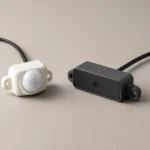
Movement in the field of view switches the light. Fits a run a person walks past rather than touches: a plinth, a corridor, a display wall. Confirm the field of view and the hold time before the run length is fixed.
-
03
Hand-wave
A short wave in front of a small sensor switches the light without contact. Fits a mirror, a wet surface, or a kitchen where the front of the cabinet has to stay clean and unmarked.
-
04
Ambient light
A light sensor holds the fixture off while the room is already bright and brings it on as the room darkens. Fits a daylight room where a light left on is only visible as a waste.
-
05
Touch
A touch point on the fitting or a touch dimmer controls on, off and brightness directly. Fits a mirror or a visible fitting where the control point should be part of the product rather than a separate switch.
-
06
App
A phone app sets brightness, colour temperature and timing across a group of lights. Fits a site where those settings change after installation, or where several runs are commissioned together.
-
07
Remote
A handheld remote controls one group without a switch wired to the wall. Fits a retrofit or a run that is hard to reach once fitted. Confirm the range, how the remote is powered and whether it pairs to more than one receiver.
-
08
Wired / hardwired
The light is switched outside the cabinet — by a wall switch, a relay or the building control system. Fits a new build or a furniture run designed with the electrical layout already drawn.
-
09
Manual switch
A small switch on the fitting, the driver or the cable. Fits a single cabinet, a sample or a first order where the simplest reliable behaviour is enough.
Comparison
The same nine, side by side
Use this to narrow the list before an inquiry. The last column is what we ask about first, because it decides whether the method can be fitted where the light goes.
| Method | Best for | What to confirm |
|---|---|---|
| Door switch | Hinged doors, drawers | Switch type, mounting point |
| PIR motion | Plinths, corridors, display walls | Field of view, hold time |
| Hand-wave | Mirrors, wet or busy surfaces | Sensor range, false triggering |
| Ambient light | Daylight rooms, window-adjacent runs | Threshold, combined controls |
| Touch | Mirrors, exposed fittings | Touch point, dimming steps |
| App | Settings changed after install | App version, network, upkeep |
| Remote | Retrofits, hard-to-reach runs | Range, power, pairing |
| Wired / hardwired | New builds, building control | Switch leg, control system |
| Manual switch | Single units, samples | Switch position, reach |
A model can combine methods: a wardrobe light with a door switch and a dimmer, or a mirror light with touch control and an ambient sensor. The combination and its wiring are confirmed per model, at inquiry and on the sample.
In the range
Where the sensing goes
Sensing is chosen with the fixture, not added afterwards. These are the three categories we are asked about most often for sensing, and each has its own mounting and cable questions.
A sensor has to see what it is meant to see. In a wardrobe that is the door edge; under a cabinet it is a hand or a plinth; on a shelf it is the space in front of the board. The fixture decides where that point can be.
Light customization covers sensing as one of the points that can change on an existing product, from 50 pieces per model. It is evaluated per model, because a sensor needs a position in the housing and a cable route to the driver.
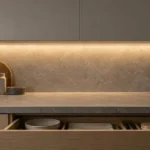
- 01 Cabinet lights Under-cabinet and in-cabinet fixtures, most often switched by a door switch or a hand-wave sensor.
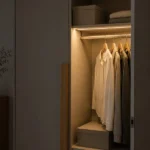
- 02 Wardrobe lights Interior lighting for wardrobes and closets, where the door switch and the cable route are decided with the carcass.
- 03 Shelf lights Linear and recessed lighting for shelves and layer boards, with the sensor placed at the edge of the run.
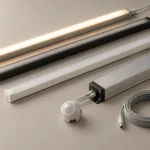
Sensors & controllers Drivers & power supplies Display & showcase lights
Specification
What a sensing decision records
These three lines go into the written specification, so the behaviour agreed in the inquiry is the behaviour that is produced and inspected.
-
01
The trigger
What has to happen before the light comes on, and what happens afterwards: hold time, dimming, and whether the light fades out or cuts.
-
02
The wiring and the load
A sensor needs a position, a switch leg or a receiver, and a driver that matches the total load of the run. These are checked against the drawing before a quotation is written.
-
03
The sample
Customized orders are produced against an approved sample, so the sensing behaviour is agreed on a physical unit rather than on a description.
Related paths
One part of the system
The sensor is chosen with the driver, the cable and the fixing point. A method that fits the trigger but not the cable route is not a fit, and the same applies to a driver that cannot carry the run.
How the parts match Solutions by application
Voltage, certification, freight and lead time are confirmed for the destination at inquiry. A specification agreed for one market is not carried over to another.
Next step
Send the trigger, not the sensor name
Say what should make the light come on — a door, a hand, movement, or the room getting dark — and where the cable can run. That is enough to answer with the models that do it and what the sample has to confirm.